The right object.
Without the endless search.
Explore connected libraries, adapt an existing model or describe something new.
Explore the workflow ↗ Get Vetriso ↗
Arrange the space. Create and edit 3D objects. Coordinate materials and lighting. Let AI handle the final visualization, then keep working in your 3D scene.

“Design a six-seat hotel lounge.
Coordinate the layout and lighting.”
Vetriso uses local scene reference frames to guide AI visualization. Your workstation prepares those references; final image generation is handled by AI.
Across multiple internal tests, including the visualization pipeline from start to finish.
This measures visualization, not the preceding layout or modeling work. The sample film is an interface concept, not a recording of a timed test. This is not a V-Ray benchmark comparison.
Follow a lounge from an empty shell to a complete design proposal. Explore the layout, object geometry, materials, lighting and final visualization.
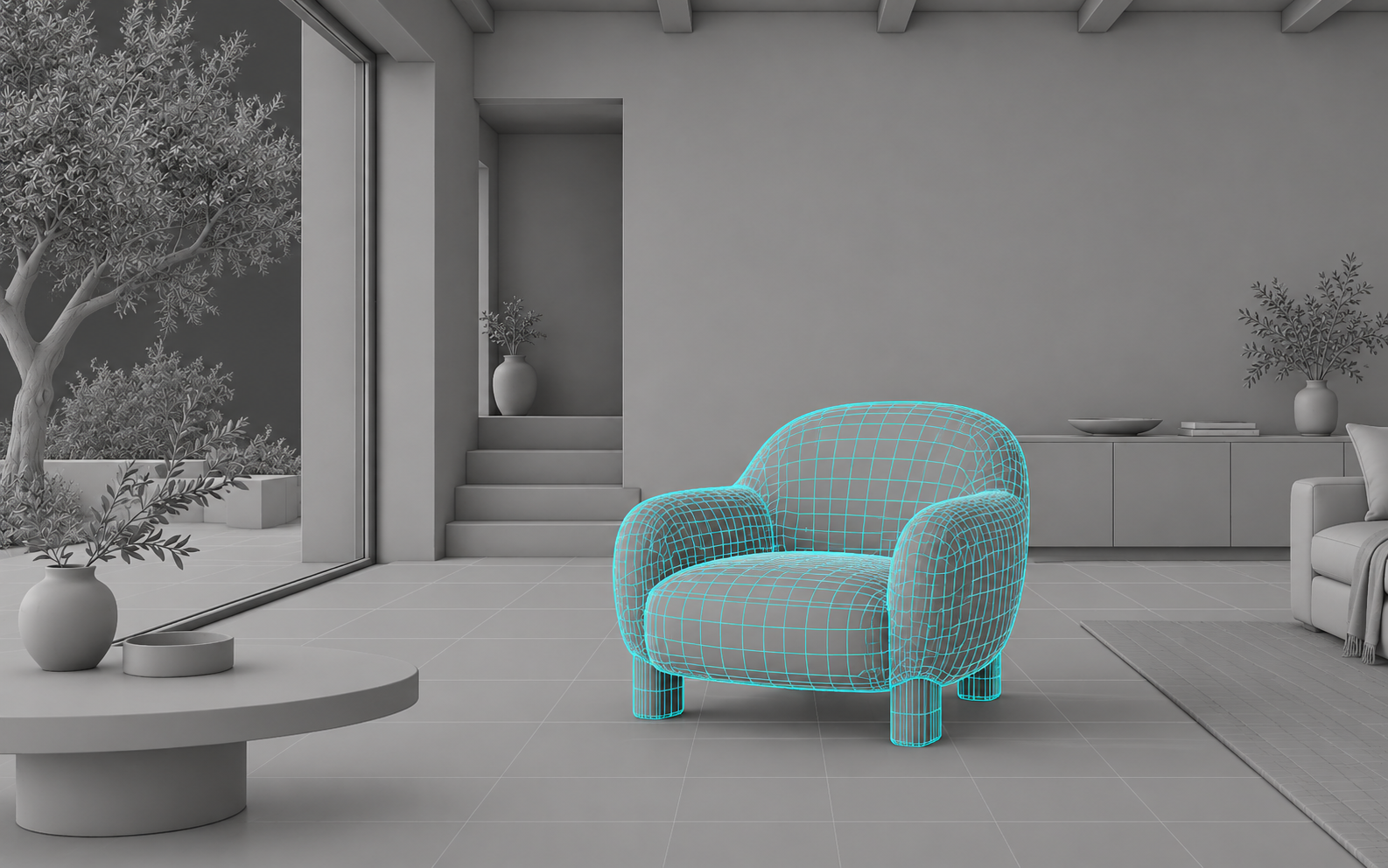
A starting object to review and place.
Manual asset searches, furniture placement, object edits and repeated lighting setups add up. Vetriso connects those decisions with AI visualization in one project workflow.
Explore connected libraries, adapt an existing model or describe something new.
Explore the workflow ↗Explore geometry, textures and atmosphere with a written direction. Review changes before applying them.
Try a material change ↗Use scene reference frames to guide AI visualization, then review versions and manage work from your web panel.
See both workspaces ↗Try a guided material study. Choose a finish and compare it with the original, in the same space.


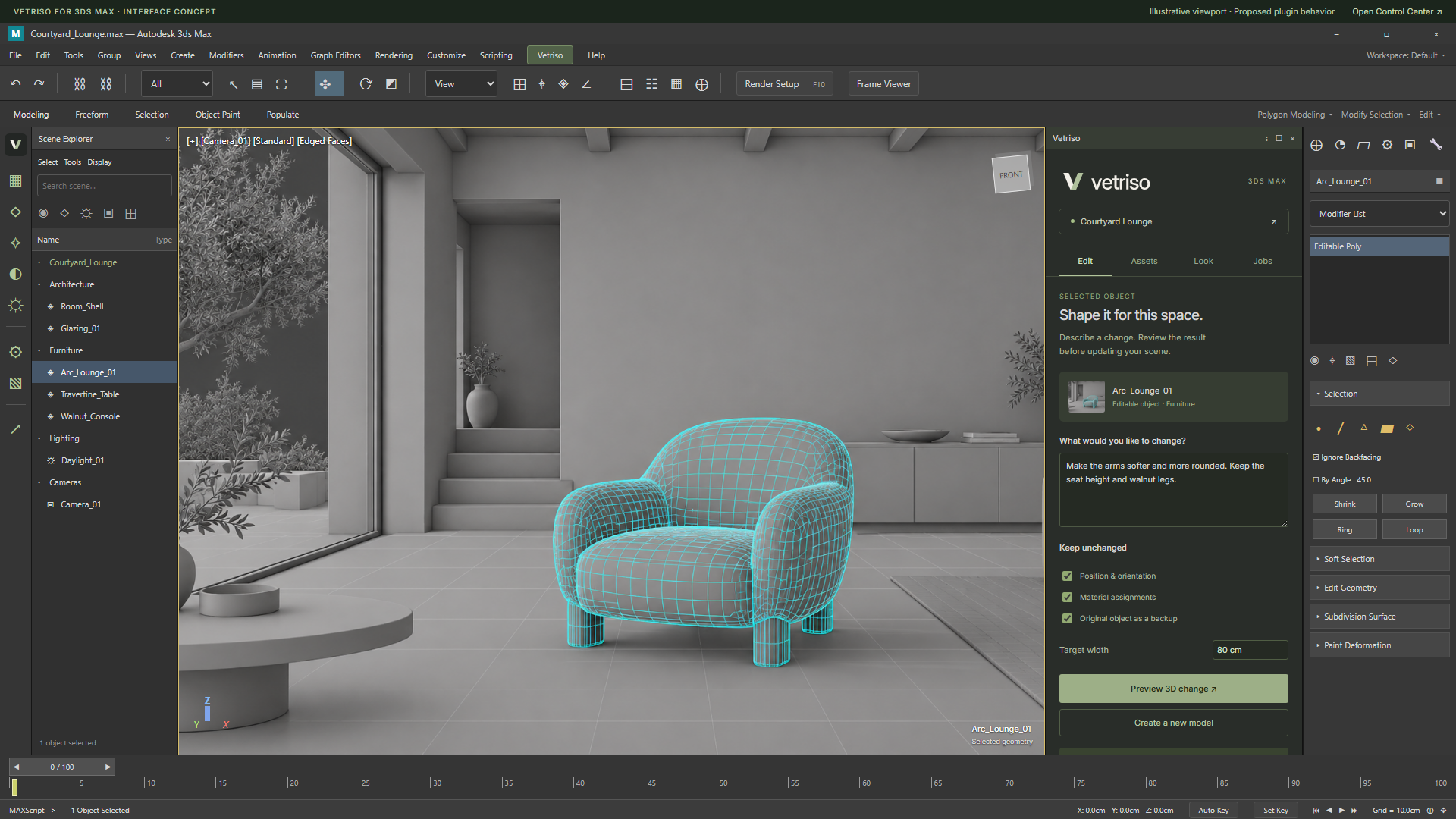
Select an object, describe a change and review the result in a docked panel alongside your scene.
Interface design previews. The tour illustrates the proposed product experience.
Start with an existing 3D room, follow the design process, and return to the modeling viewport. Then explore object creation, material studies and client revisions in the shorter films.
Product experience previews with prepared sample results. 3ds Max sequences illustrate the proposed editable scene workflow; these are not live plugin or AI-generation recordings. All videos include English on-screen captions.
Brothers Musap and Safa İnanç built Vetriso to connect creative decisions with the tools that turn them into spaces.
Great visualization tools take different approaches. Vetriso focuses on connecting asset discovery, editable 3D creation, scene direction and AI visualization.
| Workflow | VetrisoProduct approach | V-Ray + Cosmos | D5 Render | Enscape + Veras |
|---|---|---|---|---|
| Creative starting point | Connected external libraries plus AI model creation and editing. | Photorealistic rendering with a curated Cosmos content library. | Real-time visualization with an asset library and AI model generation. | Real-time design exploration inside CAD/BIM, with Veras AI ideation. |
| AI in the workflow | AI-assisted furniture layout, object creation and editing, materials, lighting and final visualization in one project flow. | AI material generation and image enhancement alongside rendering. | AI scene matching, material tools, model generation and planting assistance. | AI design exploration, material generation and image enhancement in the Chaos ecosystem. |
| Visualization approach | Local scene reference frames guide AI-generated final images. | Renderer-led production with complementary AI tools. | Real-time rendering supported by AI features. | Real-time scene feedback combined with generative design exploration. |
| Consider it when… | You want to connect object creation and scene decisions to the final visual. | You prioritize a mature photorealistic rendering workflow. | You want real-time iteration and AI assistance in a rendering environment. | You want in-tool design feedback and AI concept exploration. |
Editorial workflow comparison, reviewed 8 September 2026 using official product pages. Vetriso information reflects its product direction. Features vary by application, version and plan. This is not a speed or image-quality benchmark.
A straightforward monthly or annual price. Choose the billing schedule that works for your studio.
Billed monthly in USD.
Review your order before payment.
Plan details are a preview. Usage allowances, taxes and compatibility will be confirmed before purchase.
Sign in and choose your design application. Plugin downloads unlock after a verified subscription payment.
Bring asset discovery, AI editing and visualization into your scene workflow.
Check supported application versions before installing.
Vetriso supports AI-assisted 3D model creation and editing, alongside textures, materials and atmosphere. Final visualization is a separate image workflow guided by reference frames from your scene.
The engine creates reference frames to guide the result. AI models handle final visualization, reducing the need to run the entire final rendering process on your workstation. Reference preparation can still use local resources.
The interactive material study on this page lets you explore a prepared example without an account. It illustrates the workflow; it does not run live model generation.
Usage rights depend on each asset's source and license. Review the specific license before using or redistributing an asset. Access to a library does not give every item the same permissions.
The proposed workflow lets you review a result before applying it and keep the original object as a backup. The walkthrough shows this review step.